How to Manage Inventory with Barcode Scanning in Odoo

Last Updated on July 28, 2025
4 Min read
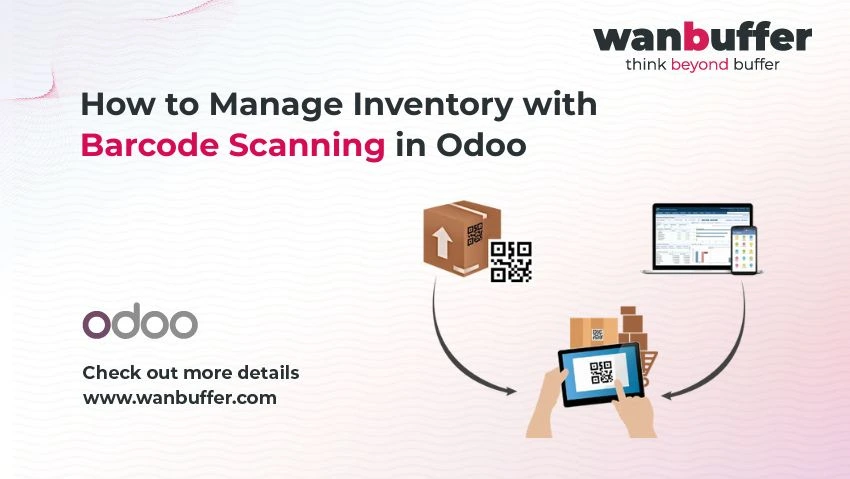
Table of Contents
1. Introduction
In fast-paced warehouse and retail environments, accuracy and speed are essential. Typing stock movements manually not only slows down operations but also introduces errors. Odoo’s integrated barcode scanning eliminates these inefficiencies—transforming inventory management with real-time visibility and automation.
2. Why Barcode Scanning Is Critical in Inventory Management
- Real-time updates: As soon as a product is scanned, stock levels are refreshed across systems.
- Reduced errors: Barcode scans are far more reliable than manual entries, improving inventory accuracy significantly.
- Faster operations: From receiving to picking and dispatch, barcode scanning accelerates workflows and cuts labor hours.
3. Core Barcode Scanning Features in Odoo
- Barcode module: Enables scanning for stock movements, internal transfers, receipts, and deliveries.
- Product & location barcodes: Assign unique barcodes to products and warehouse locations for seamless tracking.
- Offline POS scanning: Retail agents can scan and transact even without internet; data syncs automatically once online.
- Batch & serial tracking: Enable batch/serial integration to trace items across their lifecycle.
4. Step-by-Step: Setting Up Scanning in Odoo
- Install the Barcode App: Go to Odoo’s Apps → search “Barcode” → install.
- Activate features: In Inventory → Configuration → Settings, enable barcode scanning & multi-step routes.
- Assign barcodes: Edit each product/location record to input or generate barcodes manually or via nomenclature.
- Test operations: Scan products during receipts, internal moves, and deliveries—ensure updates sync in real-time.
For more information, visit our blog on Odoo’s Inventory Management Tools.
5. Real-World Business Benefits
- Operational efficiency: Barcode scanning speeds up tasks and reduces manual labor by up to 30%.
- Improved accuracy: Mistakes reduced by more than 50%, leading to better fulfillment and fewer customer complaints.
- Stronger inventory control: Automate stock replenishment and avoid stock-outs with accurate data.
- ROI: Though initial setup may require investment, savings from reduced errors, labor, and overstock rapidly outweigh costs.
6. Best Practices for Reliable Scanning
- Use durable, high-quality labels: Prevent wear and ensure consistent readability.
- Train your warehouse team: Ensure familiarity with scanning workflows and devices.
- Regular barcode maintenance: Clean and reprint worn labels for uninterrupted accuracy.
- Leverage mobile scanning: Use smartphone or Bluetooth scanners to enable on-the-go scanning.
7. How Wan Buffer Helps You Implement Seamlessly
At Wan Buffer, we provide comprehensive support to integrate barcode scanning into your Odoo setup:
- Audit what your warehouse needs—small retailers to multi-site logistics.
- Deploy and configure Barcode App with products, locations, and routing.
- Provide user training and create customized workflows for optimal scanning efficiency.
- Ensure integration with POS, inventory, and procurement systems for end-to-end automation.
Let us help you eliminate manual errors and maximize productivity with reliable barcode scanning and traceability.
8. Conclusion
Barcode scanning in Odoo is a transformative tool—bringing speed, precision, and transparency to stock management. Businesses gain better control, faster operations, and smarter inventory decisions. With Wan Buffer’s expertise, you can implement barcode scanning swiftly and confidently.
9. FAQs
-
Q1: Can I scan with a mobile device?
Yes! Odoo supports scanning via smartphone, tablet camera, and Bluetooth/USB scanners. -
Q2: What types of barcodes are supported?
Common formats like EAN‑13 and Code128 are all supported. You can also set up automatic nomenclature. -
Q3: Will scans work offline?
Yes—Odoo POS can work offline and syncs data automatically when reconnected.
